


Weather Forecast: Live & Daily
4.38.00 Reviews
App Specs
- Version
- 1.0.8
- Updated On
- License
- Free
- Downloads
- 50,000+
- Developer
- Affirming Voices
- Categories
- Weather
- Platform
- Android
Screenshots
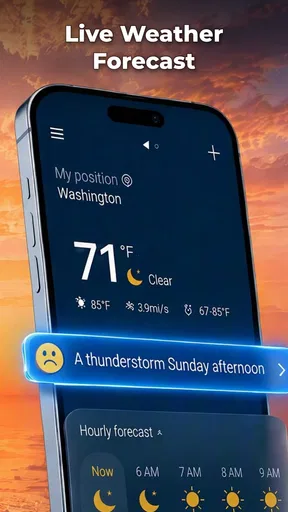
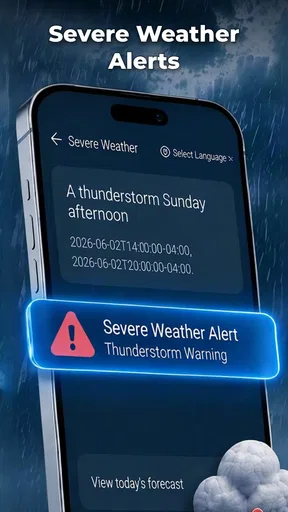
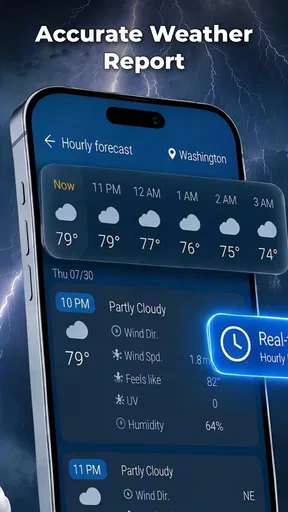
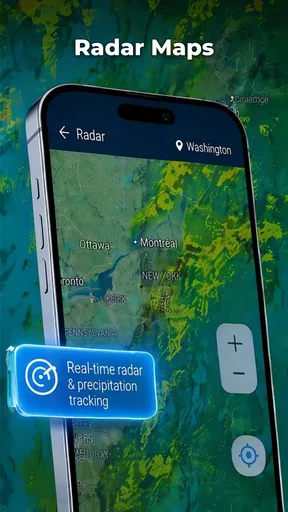
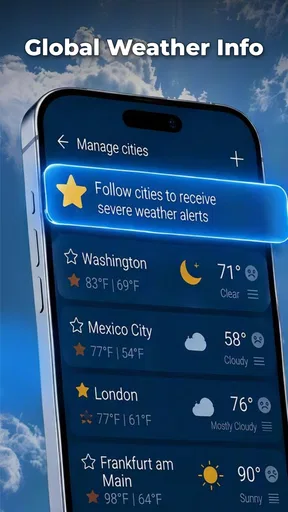
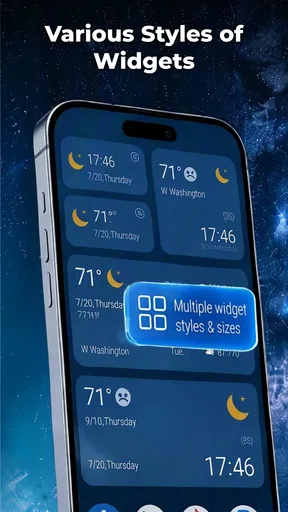
 Analysis by AppCompare
I judge a weather app less by how many panels it can display than by whether it helps me make a decision quickly: take a jacket, shift a walk, or leave extra time for a wet commute. Weather Forecast: Live & Daily is aimed at that everyday role. It is a free weather app from Affirming Voices, and its appeal is straightforward: a simple forecast can be more useful than a crowded screen when all I need is a quick check before heading out.
A quick check is the real test
The app’s name sets an expectation of both current conditions and a day-by-day outlook. In practice, that is the useful frame for assessing it: I want to open a weather app, get oriented, and decide what to do without digging through unrelated material. The available description is brief, so I would not assume a particular radar, alert system, widget, or set of detailed forecast tools. The best reason to try this one is the promise of a direct, everyday forecast experience, rather than a specialist weather workstation.
Speed matters most in small moments. If I am already standing by the door, even a short delay or a screen full of clutter makes checking the weather feel like work. A lean forecast app can be a good fit for this habit, but an app’s title alone cannot guarantee fast loading or smooth transitions on every phone. My practical advice is to open it once before you rely on it for a time-sensitive decision, then see how promptly it shows the information you actually use.
The useful measure of speed is how quickly you can turn a forecast into a decision. On an ordinary morning, that means checking whether the day looks comfortable for walking, whether a layer is sensible, and whether plans outdoors might need a second look. If the app gets you to those answers without fuss, it is doing its job even if it does not offer the elaborate presentation found in larger weather services.
Where it fits into a busy day
A realistic use case is planning a school run or commute around an uncertain morning. I would check the forecast before getting dressed, then look again before leaving if the sky has changed. For a longer outing, I would use the daily outlook to decide whether to pack a light extra layer or keep a backup indoor plan. This is a modest workflow, but it is precisely where a focused weather app can earn a place on a home screen.
For heavy-use moments, such as a day of errands, outdoor work, or travel across town, I would treat any single forecast as a guide rather than a guarantee. Conditions can vary between locations and change while you are out. A quick local check is helpful for deciding whether to bring an umbrella; it is not a substitute for checking more specialized information when a severe-weather alert, a route-specific forecast, or precise timing is important to your plans.
One useful habit is to check at the point when the answer can still change what you do. Looking before you leave gives the forecast practical value; repeatedly refreshing while already committed to an outdoor plan may only add uncertainty. If your day depends on exact precipitation timing or rapidly changing conditions, compare with a weather service that clearly provides the specialized detail you need. That is a sensible trade-off, not a flaw unique to this app.
Worth Reading Before You Choose

Switching to Android Auto Means Rethinking Your Driving Routine

Google Calendar Makes a Crowded Week Easier to Manage

Baby Panda World Brings Quick Play to Modern Phones, but Its Game Library Feels Busy

ESPN’s Live Game View Makes Following Close Games Easier

QuizzLand Review: A Good Fit for Short Trivia Breaks, Not Every Player

Basketball Stars: Multiplayer Is Fast, but Can It Recover When Matches Go Wrong?
Reliability means knowing when to double-check
Weather apps depend on current information, location choices, network access, and the quality of the forecast source. I would not infer that this app updates at a particular interval or works offline simply from its name. Instead, I would test it in the places I commonly need it: at home, on a mobile connection, and after moving to another area. If the displayed location does not match where you are, check the app’s location selection or settings before acting on the forecast.
For routine planning, a forecast is most valuable when it is consistent enough to help you make low-stakes choices. It can tell you whether to bring a coat or consider moving a casual walk. For consequential decisions—long drives in hazardous conditions, mountain outings, or work that depends on narrow weather windows—I would use a dedicated source with the relevant warnings and detail, and check official local alerts as well. This is the cautious way to use a general weather app, whatever its interface looks like.
If the app ever seems slow or does not refresh, I would first check whether the connection is working and whether the selected location is correct. Closing and reopening an app can sometimes resolve a temporary display hiccup, but I would not assume that this guarantees recovery or that a particular refresh control exists here. The practical point is to avoid treating an old screen as a live update: if conditions matter, verify that the information is current before relying on it.
What to expect from a phone in everyday use
Weather apps can vary in how much they ask of a device, especially when they use location services or refresh information in the background. There is no sound basis to claim that this app has unusually low battery use, works with a specific permission setup, or consumes a particular amount of memory. If battery life is a concern, use location access only as needed and pay attention to your phone’s own battery controls. You can also compare the app’s behavior with your normal routine rather than leaving several weather apps active at once.
Compatibility is broad in one important respect: the minimum operating system is Android 7.0. That makes it a candidate for some older Android phones, though an operating-system requirement cannot tell you how responsive it will feel on a particular device. The current version is 1.0.8, so I would keep expectations measured and check whether the app behaves well on my own handset before making it my only source of weather information. It is rated for Everyone, which makes its intended audience broad.
The app has an average rating of 4.3 from 145 ratings, with 8 written reviews, and has passed 50,000 installs. Those figures suggest that people have tried it, but they do not answer the questions that matter most to an individual: whether it loads promptly on your phone, whether its forecast presentation suits you, and whether it covers the details you personally depend on. I would use the rating as a reason to consider it, not as a substitute for trying it in your own routine.
How it compares with familiar weather options
Compared with a phone’s built-in weather view, a standalone app may be worthwhile if you prefer to keep weather checks separate from other services or want a dedicated place to build the habit. The trade-off is that a built-in option may already be convenient and familiar, while a separate app is only useful if it gives you a clearer or more comfortable daily check. Since I would not assume a specific feature set here, I would compare the screens directly instead of choosing based on a promise of tools that may not match your needs.
Against feature-rich weather apps, Weather Forecast: Live & Daily is easier to recommend to someone seeking a basic routine than to someone who wants technical maps, configurable alerts, or detailed meteorological layers. If those are central to your plans, choose an app that explicitly offers them and test its alert behavior before depending on it. If you mainly want a straightforward forecast to inform ordinary choices, a simpler app can feel less distracting and easier to check quickly.
There is also a useful distinction between a weather app for convenience and one for confidence. Convenience is deciding whether to carry an umbrella on the way to the shop. Confidence for a demanding trip means checking timing, location precision, warnings, and forecast updates from sources suited to that activity. I would put this app in the first role unless its actual screens on your device demonstrate that it meets a more demanding need.
Who should try it, and who should look elsewhere
I would suggest trying it if you want a free, everyday weather app and value a direct check over a dense dashboard. It may suit someone who checks the forecast before commuting, walking the dog, or deciding whether to eat outdoors, especially if the app’s presentation feels clear on their phone. The July 30, 2026 release date makes it a relatively new offering, so I would give its current version a practical trial rather than assume it has the long-established behavior of a familiar service.
I would look elsewhere if your weather decisions depend on features you cannot verify in the app, such as detailed radar, custom severe-weather notifications, or precise hour-by-hour planning. I would also keep a second source available for travel or outdoor activities where being wrong has more than a minor inconvenience. That is not an argument against a simple forecast; it is a reminder to match the tool to the cost of a bad call.
After trying the app, I would make the decision with three questions: Does it show the location I need? Can I find the forecast quickly enough for my routine? Does the information offer the level of detail my plans require? If the first two answers are yes and your needs are ordinary, it could be an uncomplicated daily companion. If the third answer is no, a more specialized weather service is the better choice.
My performance verdict
Weather Forecast: Live & Daily makes the most sense as a practical, low-commitment way to check the weather, not as a tool I would trust automatically for complex or high-stakes planning. Its free price lowers the barrier to trying it, and the broad Android compatibility is useful for people with older phones. I would still judge its speed and stability on the device I actually use, since a version number and install count cannot tell me how it performs in a particular setting.
My recommendation is measured: give it a place in your routine if a simple forecast is what you want, then keep a specialist alternative in mind for exact timing, alerts, or safety-sensitive plans. The app’s value comes down to whether it gets you from opening the screen to making a sensible everyday choice without friction. If it does that reliably for you, it has earned its spot; if you need more depth, choosing a different weather app is the clearer decision.
Pros
- At-a-glance forecasts make it easy to check conditions quickly.
- Hourly and daily views help with planning ahead.
- Weather alerts can provide timely notice of changing conditions.
- Useful details such as humidity and wind add context to forecasts.
- A straightforward layout is approachable for everyday use.
Cons
- Forecast accuracy can vary by location and weather conditions.
- Some features may require an internet connection to update.
- Frequent notifications may be distracting if not adjusted.
- Ad-supported screens can make the experience feel cluttered.
- Location access may be needed for local forecasts.
FAQs for Weather Forecast: Live & Daily
What is Weather Forecast: Live & Daily used for?
Weather Forecast: Live & Daily is designed to help you check current conditions and plan around upcoming weather. Depending on the information available for your location, it may show details such as temperature, precipitation, wind, and forecasts for the hours or days ahead. Forecasts are estimates rather than guarantees, so it is sensible to check updated conditions before travel or outdoor activities.
Does the app provide accurate live weather forecasts?
The app can make weather information convenient to access, but no forecast is perfectly accurate. Conditions may change quickly, and results can vary according to your location, the data sources used, and how recently the forecast was updated. Use its predictions as a guide, and consult official weather alerts or local authorities for severe-weather warnings and other safety-critical information.
Does Weather Forecast: Live & Daily need location access?
Location access can help the app display weather for where you are, but you may be able to search for or add locations manually instead. If you enable location permissions, review whether your device offers options such as allowing access only while using the app. Permission settings and available features can differ by device and app version, so check the app’s prompts and privacy information.
Is Weather Forecast: Live & Daily free, and does it contain ads or paid features?
The app’s price, advertising, and optional purchases can depend on its current store listing, region, and version. Before downloading, review the Google Play or Apple App Store page for details about in-app purchases, subscriptions, and any advertised premium features. If you try an optional subscription, check its price, renewal terms, and cancellation instructions in your store account.
Can I use Weather Forecast: Live & Daily without an internet connection?
Weather forecasts generally require an internet connection to retrieve fresh information, so offline use may be limited to data that was loaded earlier. Without connectivity, forecasts can become outdated and may not reflect changing conditions. For trips or areas with unreliable service, check the forecast in advance and consider saving relevant information, while remembering that previously loaded data is not a substitute for live updates.


